DDEV v1.25.3: Faster Start and Stop, Built-in Docker Compose, Stable Podman, MariaDB 12.3 LTS

We’re announcing DDEV v1.25.3: faster ddev start and ddev stop, built-in Docker Compose, stable Podman and Docker Rootless support, MariaDB 12.3 LTS support, Node.js improvements, XDG_CONFIG_HOME changes, and more.
This release represents 131 PRs from the entire DDEV community: your suggestions, bug reports, code, and financial support made it possible.
Table of Contents
- Faster
ddev start,ddev stop, andddev restart - New Docker Compose Library
- MariaDB 12.3 LTS Support
- Podman and Docker Rootless Are No Longer Experimental
- Node.js Changes
XDG_CONFIG_HOMEIs No Longer Respected, butDDEV_XDG_CONFIG_HOMEIs Available- Everything Else
Faster ddev start, ddev stop, and ddev restart
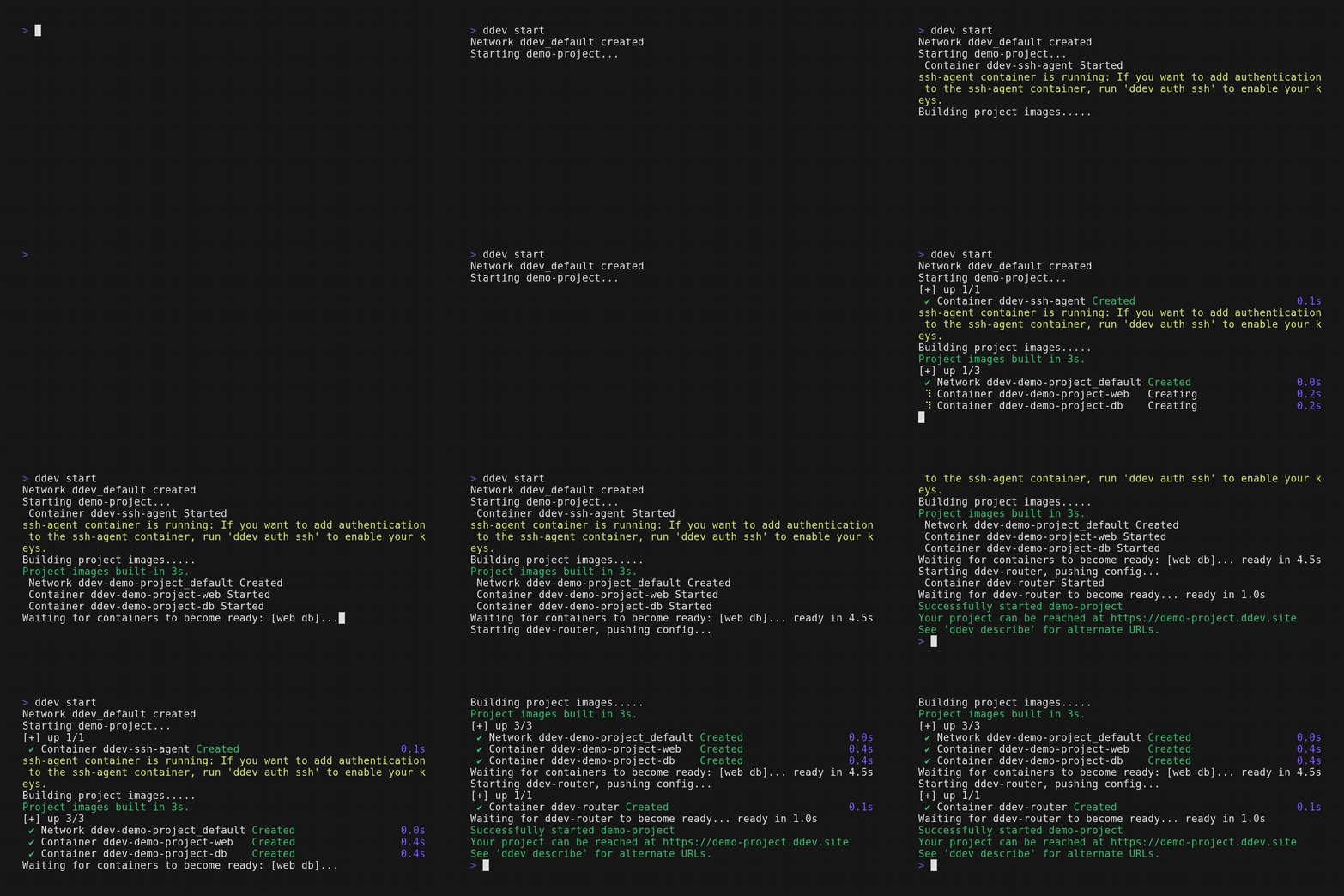
ddev start in v1.25.3 (bottom) is faster than in v1.25.2 (top), including a faster warm start:
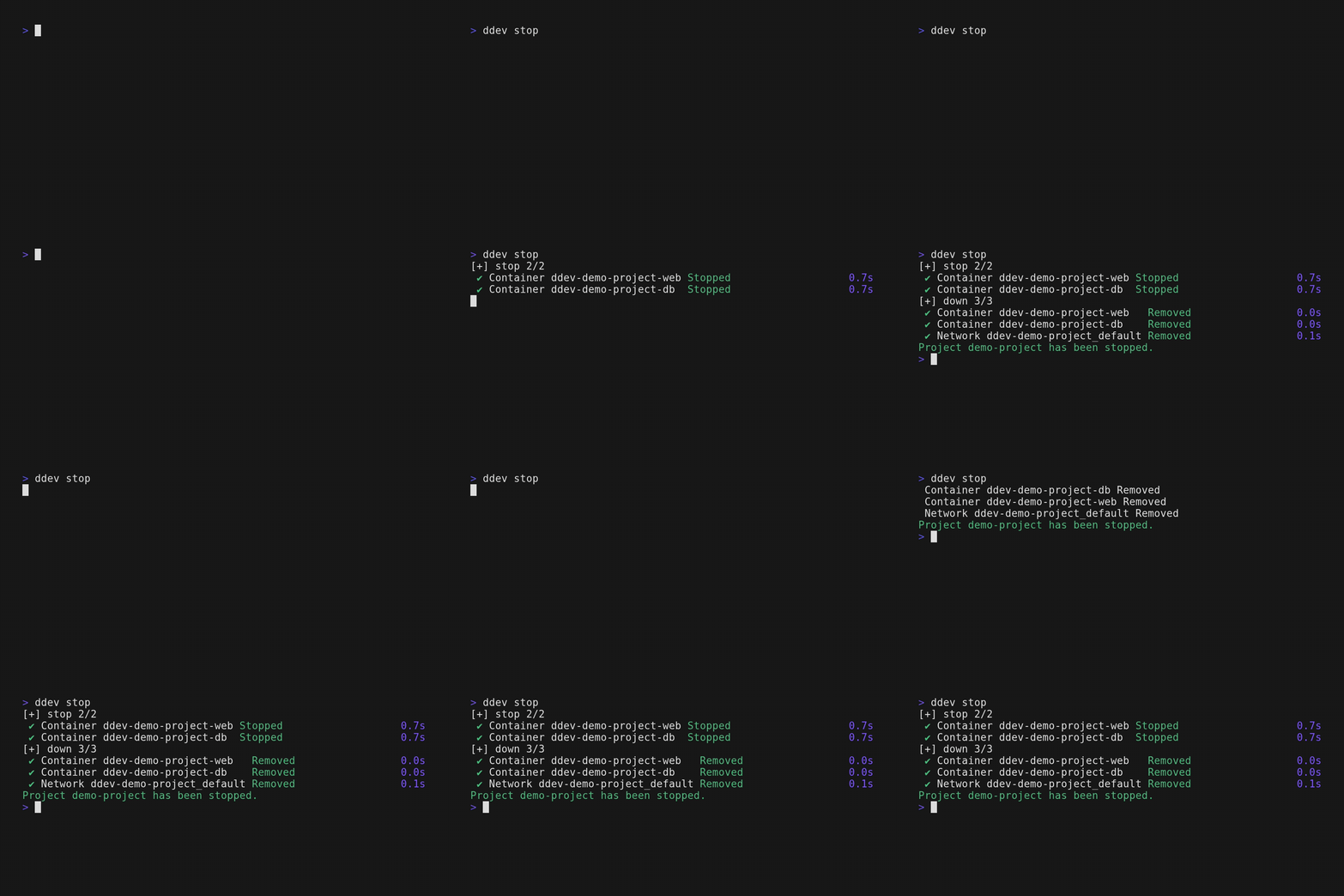
ddev stop in v1.25.3 (bottom) is significantly faster than in v1.25.2 (top), and the same improvement also applies to ddev poweroff and ddev delete, since all three share the same code path:
ddev restart in v1.25.3 (bottom) is significantly faster than in v1.25.2 (top), since it stops and starts a project and benefits from both improvements:
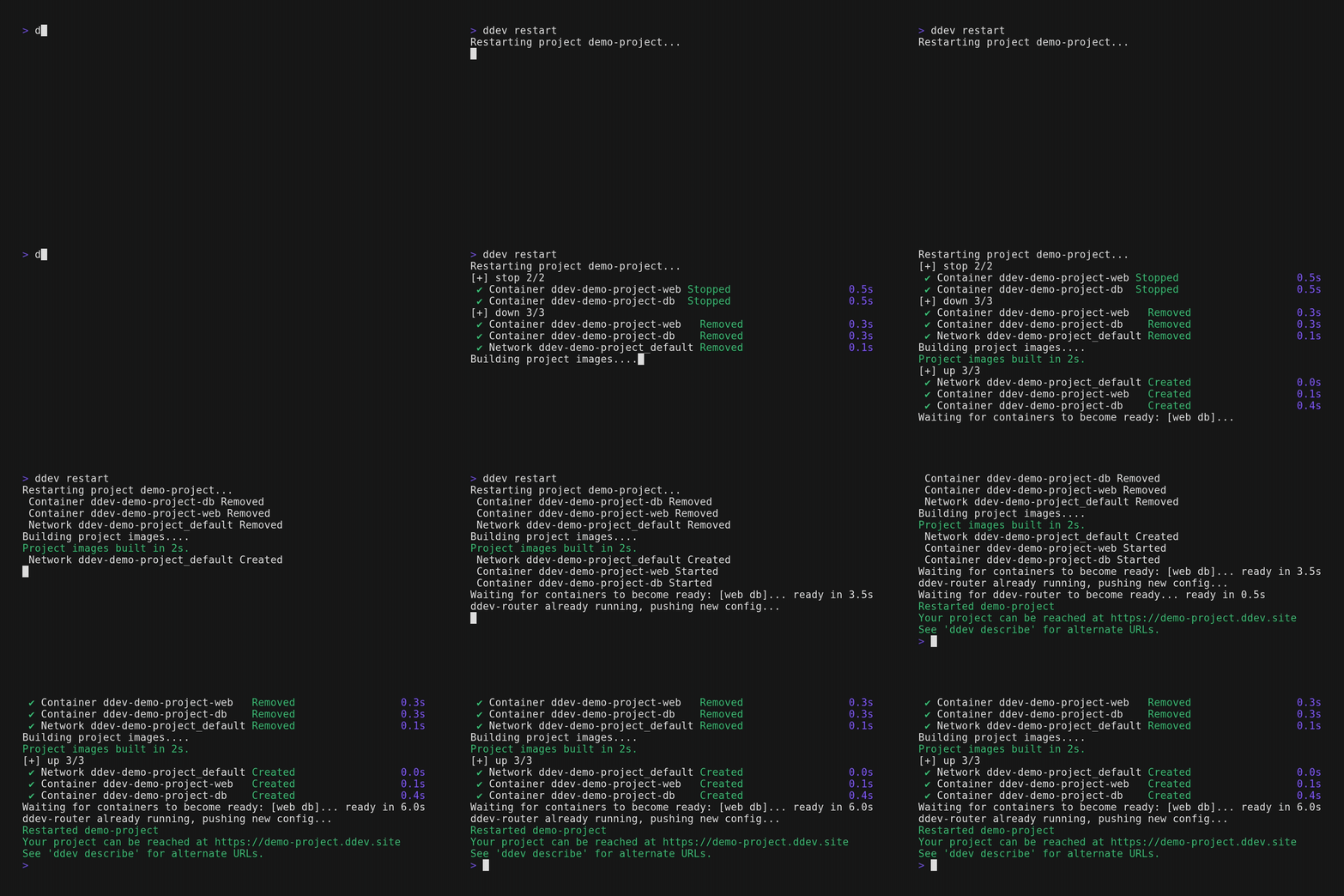
Post-healthcheck tasks now run concurrently instead of one after another, reducing overall ddev start time, thanks to @jonesrussell.
A bug in the web server startup script also added a ~10-second delay to ddev stop. That delay is now gone.
We benchmarked ddev start from a stopped state on both macOS and Linux, and v1.25.3 is faster on both. Numbers vary by machine, but you can reproduce it with scripts/compare-start-perf.sh:
git clone https://github.com/ddev/ddev ddev-upstream
cd ddev-upstream
bash scripts/compare-start-perf.sh v1.25.2 v1.25.3
On macOS, v1.25.3 is about 28% faster than v1.25.2 (benchmarked by @rfay):
Summary (ddev start from stopped state)
-------------------------------------------------------------------
  A (v1.25.2): median=11.03s  trimmed-mean=10.49s
  B (v1.25.3): median=7.91s   trimmed-mean=7.84s
  B is FASTER than A by 3.12s (-28.3%) on median
On Linux, it’s about 21% faster (benchmarked by @stasadev):
Summary (ddev start from stopped state)
-------------------------------------------------------------------
  A (v1.25.2): median=18.03s  trimmed-mean=18.25s
  B (v1.25.3): median=14.18s  trimmed-mean=14.96s
  B is FASTER than A by 3.85s (-21.4%) on median
New Docker Compose Library
DDEV now uses the Docker Compose SDK directly instead of shelling out to a separate docker-compose binary. The $HOME/.ddev/bin/docker-compose binary DDEV used to download and manage can be removed. This switch was made possible by the Docker Compose maintainers, who exposed the SDK as a reusable library in Compose v5.0.0. Thank you very much!
Driving Compose through the SDK is also what gives you the cleaner output and live per-step timer in the GIFs above: DDEV now controls how progress is displayed instead of passing through whatever the external binary printed.
This is the same underlying change that added the optional ddev config global --docker-buildx-version setting in this release. See Docker Buildx Requirement in DDEV for the full background on Buildx and the Compose SDK switch.
MariaDB 12.3 LTS Support
DDEV now supports MariaDB 12.3, the latest LTS release. For new projects, set it with:
ddev config --database=mariadb:12.3To migrate an existing project’s database, use:
ddev utility migrate-database mariadb:12.3Podman and Docker Rootless Are No Longer Experimental
Both Podman rootless and Docker rootless are now stable. We introduced this support as experimental in v1.25.0. See Podman and Docker Rootless in DDEV for the background, trade-offs, and the work behind it. Setup instructions:
Node.js Changes
- The correct Node.js version is now used during the build phase of
ddev start. Previously the build phase always used DDEV’s default version, which could cause problems when a project specified a different one (see ddev-pnpm#14). - If you install global
npmpackages inpost-starthooks, move them to extra Dockerfiles instead, since those now run against the correct Node.js version. nodejs_versionis now preserved in.ddev/config.yamleven when it matches DDEV’s default (previously it was removed in that case).- Setting
nodejs_version: ""in.ddev/config.yamlalways uses the default Node.js version bundled with DDEV, currently Node.js 24. - You can install additional Node.js versions with
ddev exec n install <version>inside the web container. This used to be a reason to usenvm, which was moved to theddev-nvmadd-on in v1.25.0; withnbuilt-in, you no longer neednvmfor it. N_PREFIXmoved from/usr/localto/usr/local/n.- See the updated
nodejs_versiondocumentation for more details.
XDG_CONFIG_HOME Is No Longer Respected, but DDEV_XDG_CONFIG_HOME Is Available
We received several reports of DDEV recreating $HOME/.ddev repeatedly:
Warning: multiple global DDEV configurations found, /home/stas/.config/ddev is used, /home/stas/.ddev is not used, delete one of them to avoid confusion
IDEs such as PhpStorm don’t always see XDG_CONFIG_HOME from the terminal, so DDEV fell back to and recreated $HOME/.ddev repeatedly. See the upstream issue IJPL-1055 for details.
To avoid this problem, DDEV now reads its own environment variable, DDEV_XDG_CONFIG_HOME, and no longer respects XDG_CONFIG_HOME. If you had set XDG_CONFIG_HOME to something other than its default of $HOME/.config, set DDEV_XDG_CONFIG_HOME to that same value instead.
Support for using $HOME/.config/ddev as the global configuration directory on Linux is unchanged.
Everything Else
This release includes many more features and bugfixes. See the full release notes for the complete list.
From the entire team, thanks for using, promoting, contributing, and supporting DDEV!
If you have questions, reach out in any of the support channels.
Follow our blog, Bluesky, LinkedIn, Mastodon, and join us on Discord. Sign up for the monthly newsletter.
This article was edited and refined with assistance from Claude Code.